The Complete Guide to SMM Panel APIs
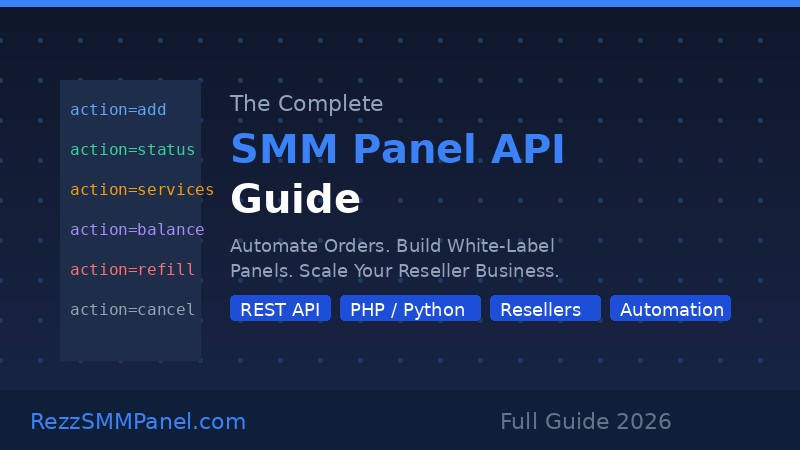
The Complete Guide to SMM Panel APIs
SMM panel APIs are one of the most powerful and most misunderstood tools in the social media marketing industry. Whether you want to automate your orders, build your own white-label panel, or integrate SMM services into your app or website, understanding how SMM APIs work is essential. This guide covers everything from basic concepts to practical integration tips, so you can get the most out of any SMM panel API.
- What Is an SMM Panel API?
- How SMM Panel APIs Work
- Key API Endpoints You Must Know
- Top Use Cases for SMM APIs
- Step-by-Step: Integrating an SMM API
- Best Practices for API Users
- Choosing the Right SMM Panel for API Access
1 What Is an SMM Panel API?
An SMM panel API (Application Programming Interface) is a set of rules and protocols that allows external applications to communicate with an SMM panel programmatically. Instead of manually logging into a panel to place orders, you send HTTP requests to the API and receive responses in real time.
Most SMM panels use a REST API with JSON responses, making them compatible with virtually any programming language: PHP, Python, JavaScript, Ruby, and more. The standard integration format is usually a POST request with your API key and action parameters.
APIs are what power white-label reseller businesses. If you run your own panel that is connected to a provider like RezzSMMPanel, every order your customer places automatically flows through the API to the provider - no manual work needed on your end.
2 How SMM Panel APIs Work
Every SMM panel API follows a similar pattern. Here is the standard flow:
- Authentication: Every request includes your API key, which identifies your account and verifies permissions.
- Action parameter: You specify what you want to do - add an order, check status, get balance, etc.
- Response: The panel responds with JSON data containing the result, order ID, or error message.
POST https://rezzsmmpanel.com/api/v2
Body: key=YOUR_KEY&action=add&service=1&link=https://instagram.com/yourprofile&quantity=1000
The API returns a JSON object with your new order ID. You can then use this ID to check the order status at any time.
Most panels support both individual order checks and bulk order status checks (sending multiple order IDs at once), which is essential for efficiency when you manage thousands of orders.
3 Key API Endpoints You Must Know
While every panel API is slightly different, the core actions are almost universal. Here is a breakdown of the most important ones:
| Action | Parameter | What It Does |
|---|---|---|
| Add Order | action=add | Places a new SMM order (followers, likes, views, etc.) |
| Order Status | action=status | Returns current status of a single order |
| Multi Status | action=status (multiple IDs) | Returns status of multiple orders at once |
| Services List | action=services | Returns all available services with IDs and prices |
| Balance | action=balance | Returns your current account balance |
| Create Refill | action=refill | Creates a refill request for a dropped order |
| Refill Status | action=refill_status | Checks the status of a refill request |
| Cancel | action=cancel | Cancels an order (if cancellation is supported) |
4 Top Use Cases for SMM APIs
APIs unlock capabilities that manual panel usage simply cannot match. Here are the most popular use cases:
4.1 White-Label Reseller Panels
The most common use case. You build or install your own SMM panel software (like SMMScript, Perfect Panel, etc.) and connect it to a provider via API. When your customers order, the API automatically forwards the order downstream. You earn the margin between your retail price and the API price.
4.2 Order Automation for Agencies
Social media agencies often manage dozens of clients. Instead of logging in and placing orders manually, they write simple scripts that place orders automatically based on campaign schedules or triggers.
4.3 Custom Dashboard or CRM Integration
If you manage a client portal or CRM, you can embed SMM services directly. Clients log into your platform, select services, and orders are placed in the background via API - all under your brand.
4.4 Automated Reporting
Pull order statuses automatically and feed them into reports or client-facing dashboards. Your clients see live progress without you manually checking the panel.
4.5 Bots and Telegram Integrations
Many resellers build Telegram bots that allow customers to place orders, check status, and top up balance - all through Telegram chat, powered by the SMM panel API behind the scenes.
5 Step-by-Step: Integrating an SMM API
Here is a practical walkthrough for integrating an SMM panel API, using PHP as the example language (the most common for SMM panel scripts).
Step 1: Get Your API Key
Log into your SMM panel account and navigate to your profile or API settings. Your unique API key will be displayed there. Never share this key publicly - it gives full access to your account.
Step 2: Identify the API URL and Documentation
Every panel publishes its API documentation, usually at a URL like https://yourpanel.com/api/v2 or accessible through an API link in the footer or user menu. Read the documentation carefully for the exact parameters required.
Step 3: Test the Connection with a Balance Check
Before placing real orders, test your API key with a simple balance check. Use curl in PHP to POST to the API endpoint with your key and action=balance. If successful, you will receive a JSON response with your current balance and currency.
Step 4: Fetch the Services List
Use the services endpoint to retrieve all available service IDs. Store them in a database so you can map your front-end services to the correct provider service IDs.
Step 5: Place a Test Order
Place a small test order on a test account or a low-risk service (like views). Verify the order ID is returned correctly.
Step 6: Implement Status Checking
Build a cron job or scheduled task that checks the status of pending orders periodically (every 5-15 minutes). Update your database accordingly and notify customers of status changes.
Step 7: Handle Errors Gracefully
API calls can fail due to: insufficient balance, invalid service ID, invalid URL format, or rate limits. Always check for error responses and implement retry logic for temporary failures.
6 Best Practices for API Users
- Cache the services list locally and refresh it every 24 hours - not on every order, as this causes unnecessary API load
- Use bulk status checks (multi status) instead of checking each order individually to reduce API calls
- Implement exponential backoff when the API returns errors - wait 1s, then 2s, then 4s before retrying
- Log all API requests and responses for debugging and dispute resolution
- Keep your API key in environment variables, not hardcoded in files
- Set a minimum balance alert so you never run out of funds mid-campaign
- Validate customer input (links, quantities) before sending to the API to avoid failed orders
- Read the panel API changelog regularly - endpoints and parameters can change
7 Choosing the Right SMM Panel for API Access
Not all SMM panels offer equally good API experiences. Here is what to evaluate before committing to a provider for API-based reselling:
| Factor | Why It Matters | What to Look For |
|---|---|---|
| API Uptime | A panel with frequent downtime breaks your reseller business | 99%+ uptime guarantee, status page |
| Response Speed | Slow APIs create bad customer experience | Sub-500ms response times |
| Documentation Quality | Poor docs = wasted developer hours | Clear examples, error code reference |
| Rate Limits | Too restrictive limits cap your scale | At least 60 requests/minute |
| Refill Support | Non-drop guarantees only matter if refills work via API | Refill endpoint available |
| Pricing | Your margin depends on API prices being lower than your retail | Competitive wholesale rates |
| Support | When API issues arise, fast support is critical | 24/7 chat or ticket support |
- SMM panel APIs let you automate orders, check status, and build white-label businesses programmatically
- The core endpoints are: add, status, services, balance, refill, and cancel
- White-label reselling via API is the most scalable SMM business model
- Always cache service lists, use bulk status checks, and never expose your API key publicly
- Choose providers with high uptime, fast responses, clear documentation, and API-supported refills
Ready to start reselling with the API?
Create Your Free AccountAccess competitive API pricing and full documentation after signup.